 NAT VPN
How to invite a friend to NAT VPN
Your friend needs their own account and subscription. Send a referral link or code to invite them, rather than the connection link for your own VPN.
Open invitations in the dashboard
Sign in to natlink.ru and open Referrals.
It shows your code, invitation link and current bonus conditions.
Send your friend the invitation link
Copy the referral link or use Share.
Your friend needs to follow that link and register.
It associates the invitation with your account.
Do not send the link from Connection: it provides access to your subscription and is intended for your own devices.
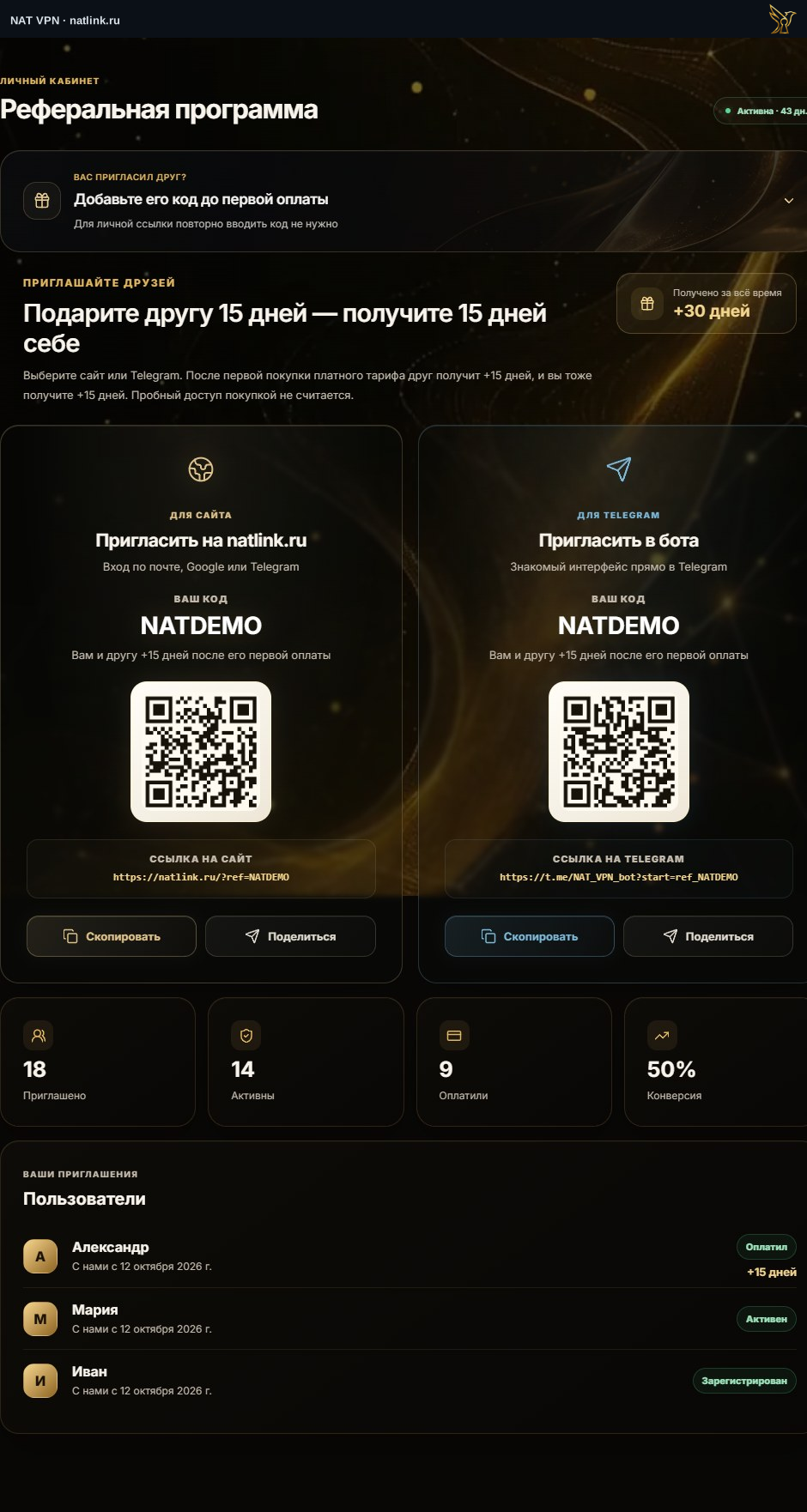
The Russian dashboard shows a demonstration account with the sample code NATDEMO. Get your own link and the current conditions from your account.
Your friend buys their own subscription
Your friend chooses a plan and pays in their own account.
Bonus days are awarded under the current invitation conditions after the first qualifying successful payment.
Installing an app or starting a trial does not replace payment.
Check the bonus and help them connect
Refresh the dashboard after payment is confirmed.
Check the invitation conditions and result in Referrals.
Send your friend the instructions for their device; they should copy their personal connection link from their own dashboard.