 NAT VPN
How to move your NAT VPN subscription to a new phone
When replacing your phone, start with your existing account. If the subscription is active and a device slot is available, you do not need to buy it again.
Open your account
Open natlink.ru and choose Sign in or register.
Use the same sign-in method as for the purchase: Telegram, Google or email.
Check the subscription expiry date in your dashboard.
If the dashboard is empty, check the account first. Different sign-in methods can lead to different accounts unless you have linked them.
Check Devices
Check whether your plan has an available device slot.
If the limit is reached, identify your old phone by its name and device information.
Remove it only when you are sure you no longer need it.
If you cannot identify the old device, contact support. Do not remove other devices at random.
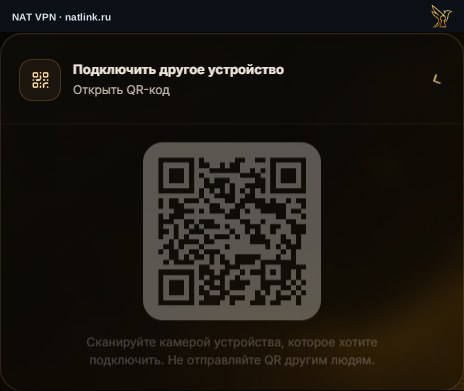
The QR code is shown in a Russian demonstration dashboard and does not provide working access. On your second device, scan the code from your own account.
Open your connection link
Find the connection link in your dashboard and open it on the new phone.
Choose a suitable app on that page and follow the instructions for your platform.
After import, test the connection in the app.
The link provides access to your subscription. Do not send it to group chats or show it in screenshots.
If the old phone was lost
Freeing a device slot and securing a lost account are separate tasks.
Review active email, Google or Telegram sessions.
If someone may have copied the subscription link, ask support to check access and whether the link needs replacing.
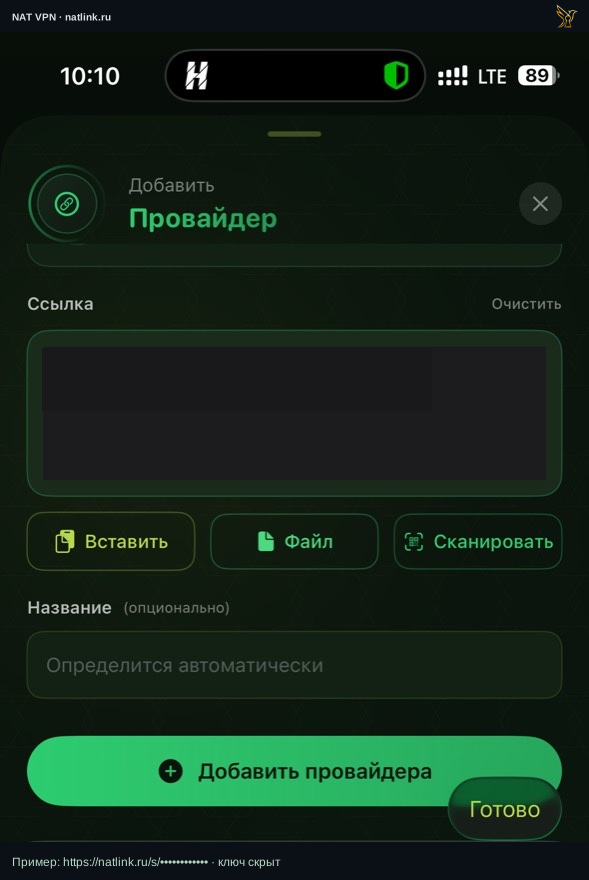 Press to expand the screenshot ↗
Open the full screenshot ↗Manual import example in the Russian Incy interface on iPhone. The personal link is hidden; use your own link from the dashboard.